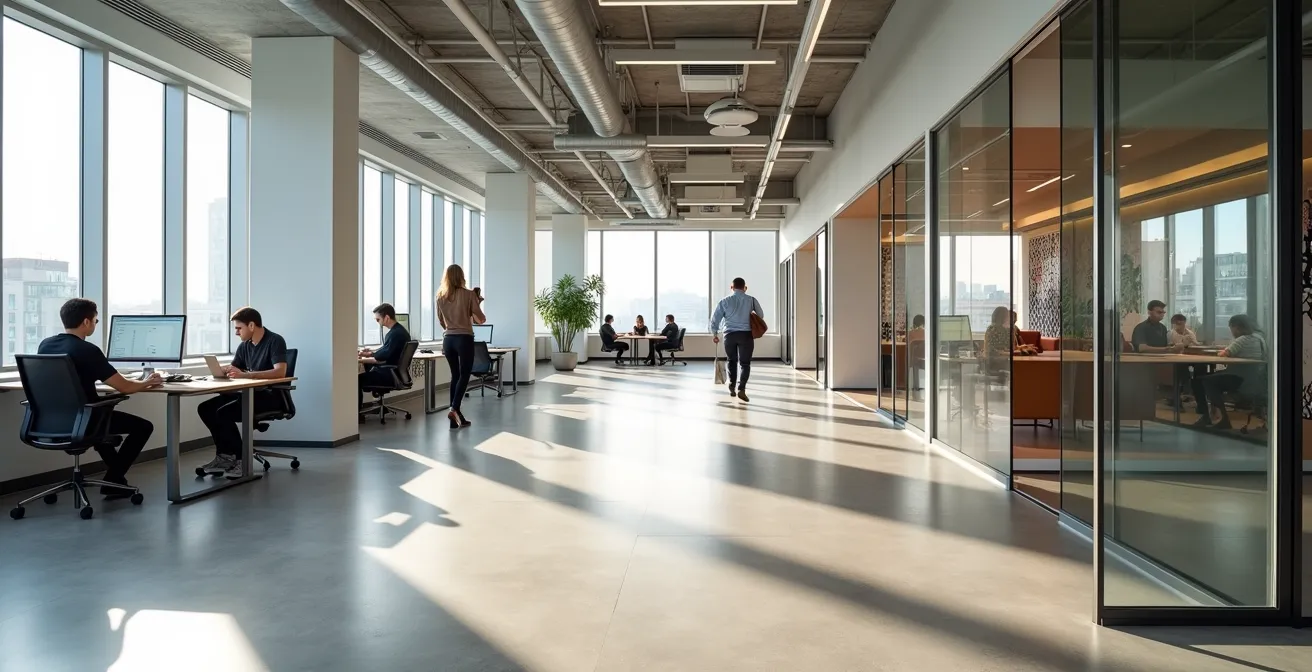
The solution to low office attendance isn’t more perks; it’s a “friction-led” design that makes the office indispensable for specific, high-value work.
- Your office must solve problems that remote work creates, like poor acoustics for confidential calls and shallow virtual collaboration.
- It must be designed to support daily work routines and rituals, not just offer a collection of desks and meeting rooms.
Recommendation: Shift from asking “What amenities do employees want?” to “What hybrid work frictions can our physical space solve better than anywhere else?”
The silence in your newly renovated office is deafening. Despite the artisan coffee, the vibrant decor, and the scheduled “welcome back” events, desks remain stubbornly empty. As an HR director or office manager, this scene is a familiar and frustrating reality. You’ve followed the conventional wisdom: you’ve tried to lure employees back by making the office more attractive, treating it like a product to be marketed with perks and social events. But these are often temporary fixes for a much deeper issue.
The problem is that you’re in a competition with the convenience of home, and it’s a battle you can’t win on amenities alone. What if the true key to encouraging a return to the office isn’t about attraction, but about purpose? The new mandate for workplace design is to stop treating the office as a destination and start engineering it as a high-performance tool. This requires a shift towards Friction-Led Design—a strategy focused on identifying the specific pain points of hybrid work and creating a physical environment that solves them in a way a home office simply cannot. It’s about creating a purposeful commute, where the value gained in the office far outweighs the effort of getting there.
This guide will walk you through the strategic pillars of designing a flexible workspace that’s not just appealing, but functionally essential. We’ll move beyond the platitudes to explore how to calculate the right space, master acoustics, and foster a co-creation process that turns employees into partners, not just occupants.
For those who prefer a visual format, the following video offers an excellent overview of how a flexible office can become a growth engine for your business, complementing the detailed strategies we’ll explore below.
To navigate this strategic shift, we have broken down the core challenges and solutions into distinct, actionable sections. This structured approach will provide a clear roadmap for transforming your office from an underused expense into a dynamic and indispensable asset for your hybrid team.
Summary: A Strategic Guide to Designing Your Hybrid Office
- Why Do Employees Hate Hot-Desking and How to Fix It?
- How to Calculate the Right Desk Ratio for a 3-Day Hybrid Policy?
- Coworking Membership vs Leasing a Small Office: Which Is Cheaper for a Team of 10?
- The Acoustic Mistake That Makes Confidential Meetings Impossible in Flex Offices
- When to Announce a Hybrid Office Redesign to Minimize Employee Anxiety?
- How to Adapt Your Daily Routine to the “Always-On” Economy Without Burnout?
- How to Integrate Video Tools to Reduce “Zoom Fatigue” by 50%?
- How to Reduce Facility Management Costs by 20% Using Centralized IoT Controls?
Why Do Employees Hate Hot-Desking and How to Fix It?
Employees don’t inherently hate hot-desking; they hate the anxiety, instability, and lack of identity it creates. The daily scramble for a “good” spot, the inability to leave personal items, and the difficulty finding teammates turns the office from a collaborative hub into a source of stress. In fact, research shows that 37% of employees arrive early just to secure a preferred desk, proving that the system often breeds competition instead of community. This is a classic example of a solution focused on space efficiency that ignores the human friction it creates.
The fix isn’t to abandon flexible seating but to evolve it from a chaotic free-for-all into a structured system. The solution lies in implementing team neighborhoods or “zones.” These are designated areas for specific teams, where a mix of reservable desks, collaborative spaces, and personal storage is available. This model provides a “home base” that fosters team cohesion and identity while still allowing for significant space optimization. It solves the core frictions of hot-desking by providing predictability and belonging without reverting to the inefficiency of assigned seating for everyone.
Successfully implementing this model requires a thoughtful approach:
- Understand Collaboration Patterns: Before any design work, survey your teams to understand who needs to be near whom and what kind of spaces they need for their specific workflows.
- Create Dedicated Zones: For each team neighborhood, aim for a mix of about 60-70% flexible desks and 30-40% shared collaborative spaces like small meeting nooks, whiteboards, and lounge areas.
- Provide High-Quality Anchor Points: Personal lockers are no longer just for storage; they are an employee’s anchor. Invest in high-quality lockers with integrated charging stations to serve as a secure personal base.
- Deploy Smart Technology: Use a desk booking software that allows not just individuals, but entire teams to reserve clusters of desks together for collaborative “in-office” days.
- Automate Personalization: Consider NFC-based desk profiles that allow an employee to tap their badge to automatically adjust a shared desk to their preferred monitor height and ergonomic settings.
How to Calculate the Right Desk Ratio for a 3-Day Hybrid Policy?
The 1:1 desk-to-employee ratio is a relic of a bygone era. In today’s hybrid landscape, clinging to this model means paying for vast seas of empty desks. The goal is no longer to provide a desk for every person, but to provide the right *type* of space for every *activity*. This shift is central to a successful flexible workspace strategy and is reflected in market trends. It is no longer the standard to have a desk for every employee, so you must move towards a more data-driven model based on actual utilization.
Calculating your ideal desk ratio is less about a simple headcount and more about embracing Activity-Based Working (ABW). For a standard 3-day-a-week in-office policy, a ratio of 1 desk for every 1.5 employees (1:1.5) is a common starting point. However, this number is meaningless without a corresponding strategy for your overall space mix. The desks you remove must be replaced with a variety of other functional spaces designed to support the very reasons employees come to the office: collaboration, focused work, and social connection.
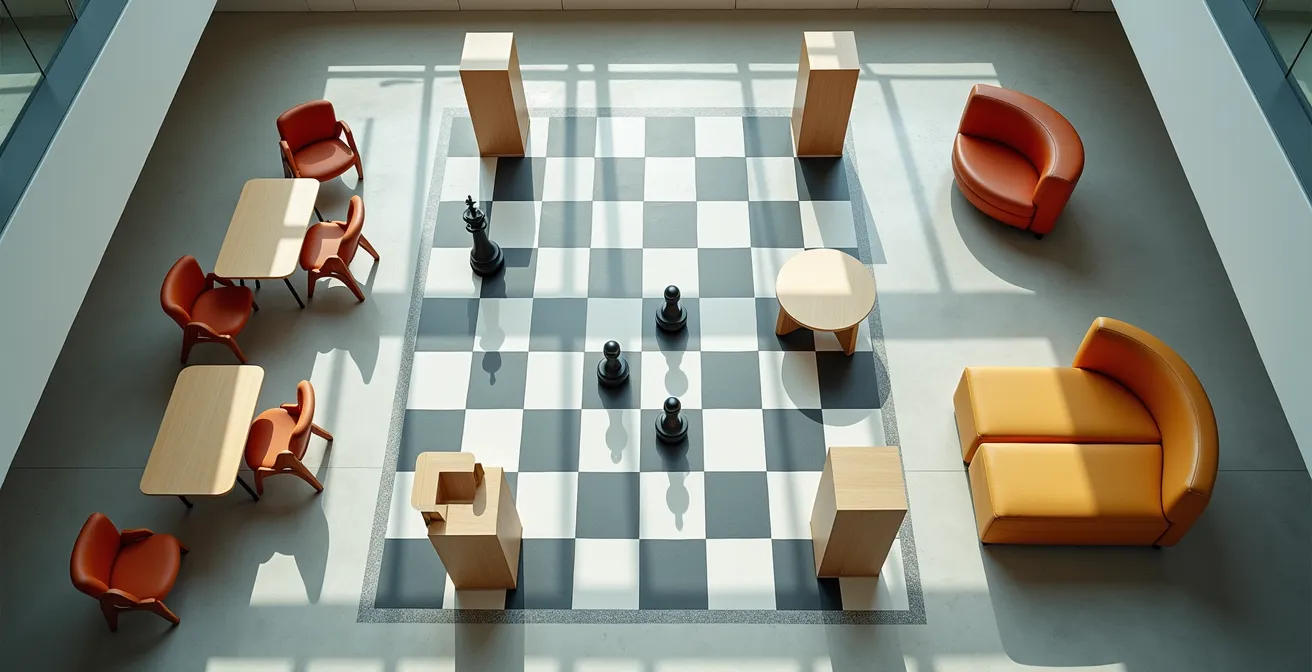
As the illustration suggests, a modern office floor plan should look less like a grid of desks and more like a strategic chessboard with diverse zones for different tasks. Your calculation must factor in how many employees will be in on peak days and what they will be doing. The following table provides a model for how desk ratios and space allocation change based on different hybrid policies, clearly showing the potential for significant cost savings.
| Hybrid Model | Desk Ratio | Space Mix | Cost Savings |
|---|---|---|---|
| 2 days/week in office | 1:2.5 | 40% desks, 35% collaboration, 25% lounge | 45-50% |
| 3 days/week in office | 1:1.5 | 55% desks, 30% collaboration, 15% lounge | 30-35% |
| 4 days/week in office | 1:1.2 | 70% desks, 20% collaboration, 10% lounge | 15-20% |
Coworking Membership vs Leasing a Small Office: Which Is Cheaper for a Team of 10?
For smaller teams or companies embracing a fully distributed model, the traditional office lease is becoming an increasingly heavy financial burden. The flexibility and all-inclusive nature of coworking spaces present a compelling alternative. An analysis of 146 U.S. cities shows that coworking can save teams 52% on average compared to the total costs associated with a traditional lease. This isn’t just about rent; it’s about eliminating the hidden costs of utilities, maintenance, furniture, and amenities.
Case Study: Austin 10-Person Team Cost Analysis
To make this concrete, consider a 10-person team in Austin, Texas. Opting for dedicated desks within a coworking space would cost approximately $48,000 annually. This price includes high-speed internet, furniture, cleaning services, coffee, and access to shared meeting rooms. In contrast, a traditional office lease for an equivalent space would start at $75,000-$90,000 per year *before* adding the substantial costs of furniture, utilities, IT infrastructure, and daily maintenance.
However, the most strategic approach is often not an “either/or” choice but a hybrid solution known as the “hub-and-spoke” model. This strategy blends the best of both worlds, providing a central brand hub while giving employees the flexibility they crave. It involves leasing a smaller-than-needed central office (the “hub”) for key team meetings and client-facing activities, while providing employees with memberships to a network of coworking spaces closer to their homes (the “spokes”).
Implementing a hub-and-spoke model for a 10-person team could look like this:
- Lease a small “hub” office (500-750 sq ft) to establish a brand presence and anchor team culture, costing around $1,500-2,500/month.
- Purchase 5-6 flexible coworking memberships for employees to use on days they aren’t at the hub, at roughly $300-400 per membership per month.
- Provide a credit allowance or day passes for other employees who need occasional workspace access.
- Use the hub for all-hands meetings, client presentations, team events, and storing shared equipment.
- The total annual cost often falls between $30,000 and $45,000, a significant saving compared to a full-size traditional office.
The Acoustic Mistake That Makes Confidential Meetings Impossible in Flex Offices
The single biggest acoustic mistake in flexible office design is assuming that glass-walled meeting rooms and phone booths are a complete solution. While they are essential, they only solve part of the problem. The real issue that destroys confidentiality and deep focus is poor acoustic hygiene in the open-plan areas themselves. Speech travels, and a sensitive conversation happening in a “quiet” corner is often perfectly intelligible just a few feet away, making employees feel exposed and unable to concentrate or speak freely.
The solution is to think beyond physical barriers and implement strategic Acoustic Zoning. This involves designing the office as a gradient of sound, from high-energy collaborative zones to truly silent deep-focus areas. This is achieved not just with walls, but with a combination of sound-absorbing materials (carpets, acoustic ceiling tiles, felt panels) and, most importantly, sound masking technology.

Sound masking is often misunderstood as simply adding “white noise.” In reality, it’s a precisely engineered ambient sound, similar to airflow, that is specifically tuned to match the frequencies of human speech. It doesn’t eliminate noise but reduces the radius of speech intelligibility, making nearby conversations fade into a comfortable background hum. As acoustic research demonstrates, a properly installed sound masking system can reduce speech intelligibility by 40-45 dBA in open offices. This allows someone to have a private conversation without needing to be in a sealed room, restoring a sense of privacy and focus to the entire workspace.
When to Announce a Hybrid Office Redesign to Minimize Employee Anxiety?
The question itself contains a flawed premise. You should never “announce” a redesign to your employees as a finished decision. Doing so instantly creates a top-down dynamic that breeds suspicion, anxiety, and resistance. The change feels like something being done *to* them, not *with* them. The right approach is to reframe the entire process from an announcement to an invitation. The communication shouldn’t be a declaration of plans, but a transparent acknowledgment of a shared problem.
The most effective way to begin is with a simple, honest framing. As a leader, your message should embody the spirit of the Workplace Strategy Framework from CBRE’s research:
We have a challenge, and we want to design the solution with you.
– Workplace Strategy Framework, CBRE Future of Work Report 2024
This approach transforms the redesign from a corporate mandate into a co-creation process. It repositions employees as essential partners whose insights are critical to success. This not only minimizes anxiety but also dramatically increases the chances that the final design will actually meet their needs. Instead of a single grand announcement, you should implement a phased communication and feedback timeline that builds trust and buy-in at every stage.
Your Co-Creation Rollout Plan: A Step-by-Step Timeline
- Weeks 1-2 (Initiate): Announce the *exploration phase*. State the challenge (e.g., “We want our office to be a more effective tool for hybrid work”) and invite volunteers to form a design committee representing different departments and roles.
- Weeks 3-4 (Listen): Host structured listening sessions and workshops with the committee and broader employee groups. Focus on gathering insights about their biggest hybrid work frictions and their “wishlist” for the office.
- Weeks 5-8 (Pilot Design): Based on feedback, create a design for a small pilot space or “beta zone.” Share these initial plans transparently with all employees, explaining how their feedback was incorporated.
- Weeks 9-12 (Test): Launch the beta space with a test group of 10-15% of the workforce. Give them the tools and autonomy to truly use the space as intended.
- Weeks 13-16 (Learn & Share): Actively collect feedback from the pilot group. What worked? What didn’t? Share these learnings—both successes and failures—company-wide to maintain transparency and trust.
- Week 17 (Announce the Plan): Only now, with data and proven success from the pilot, do you announce the full redesign plan. It is no longer a top-down decision but the result of a collaborative, data-driven process.
How to Adapt Your Daily Routine to the “Always-On” Economy Without Burnout?
In the hybrid era, the office’s most powerful, untapped potential is its ability to provide structure and combat the “always-on” culture that leads to burnout. A well-designed workspace can serve as a physical container for different parts of the workday, helping employees mentally transition between tasks and, most importantly, disconnect at the end of the day. This is the concept of Routine Architecture: consciously designing the office to support and shape healthy daily rituals.
Instead of a uniform sea of desks, the office should be zoned to match the natural energy flow of a productive day. This means creating distinct areas that signal to our brains what kind of activity is expected. By moving between these zones, employees can build powerful new routines that bookend their day and protect their work-life balance.
Case Study: Logitech’s Routine Architecture Redesign
Logitech masterfully implemented this concept in their San Jose office. They created a “Launch Zone” near the entrance with high-energy lighting, standing meeting tables, and coffee bars to support morning syncs and kickstart the day. Conversely, they designed a “Wind-Down Zone” in a quieter part of the office with warmer lighting, comfortable armchairs, and tech-free areas for end-of-day reflection and task completion. This spatial design, which guides employees through a daily rhythm, led to a 31% reported improvement in work-life balance among their staff.
A critical component of Routine Architecture is the creation of a digital detox sanctuary. This is a designated, tech-free zone where employees are encouraged to disconnect and recharge. Designing such a space is straightforward:
- Dedicate 5-10% of your total office space to be a strictly tech-free zone, marked with clear signage.
- Furnish it with comfortable, analog seating like reading chairs, meditation cushions, or even yoga mats.
- Incorporate natural elements like air-purifying plants (e.g., golden pothos, weeping figs) and maximize natural light.
- Include a small library of physical books and industry magazines.
- Install a “device parking” station at the entrance where employees can leave their phones and laptops.
How to Integrate Video Tools to Reduce “Zoom Fatigue” by 50%?
The persistence of “Zoom Fatigue” is a clear sign that most offices are failing at the most basic requirement of hybrid work: equitable collaboration. When remote participants are just faces on a screen at the end of a long table, they are effectively second-class citizens in any meeting. Unsurprisingly, workplace technology research indicates that only 15% of offices are fully equipped for effective hybrid meetings. The solution isn’t just buying a better webcam; it’s a complete redesign of meeting spaces centered on the principle of experience equity.
To combat fatigue, you must eliminate the disparity between the in-person and remote experience. This means designing rooms where remote participants feel as if they are seated at the same table, making eye contact and participating on equal footing.
Case Study: Neiman Marcus Group’s “Hybrid Campfire”
Neiman Marcus Group tackled this problem by replacing their traditional headquarters with “collaboration hubs.” A key feature is their “Hybrid Campfire” meeting rooms. These rooms feature curved or D-shaped tables, so in-person attendees naturally face the large, eye-level video display. This simple design change ensures that remote participants appear at the same height and in the direct line of sight as their in-person colleagues, fostering natural conversation and eye contact. The result was a 40% reduction in self-reported meeting fatigue and a marked improvement in engagement from remote employees.
Another powerful strategy to reduce video call fatigue is to break free from the static meeting room altogether. Encourage movement by designing spaces that support “walk-and-talk” meetings. This can be as simple as a designated indoor pathway with good Wi-Fi coverage and comfortable stopping points.

Creating dedicated paths lined with greenery and natural light, as shown above, encourages employees to take one-on-one calls while moving. This simple act of changing posture and location can dramatically reduce the cognitive load associated with staring at a screen for hours, boosting both energy and creativity.
Key Takeaways
- Focus on Purpose, Not Perks: A successful hybrid office solves tangible work frictions, making the commute feel valuable and purposeful.
- Design for Activities, Not Headcount: Implement Activity-Based Working and Acoustic Zoning to create a diverse ecosystem of spaces that support focus, collaboration, and rejuvenation.
- Co-Creation is Non-Negotiable: Involve employees in the design process from day one through a structured co-creation timeline to minimize anxiety and ensure the final space meets their real needs.
How to Reduce Facility Management Costs by 20% Using Centralized IoT Controls?
A flexible workspace isn’t just a tool for employees; it’s a source of immense operational data. Yet, most companies manage their facilities with static schedules, heating, cooling, and lighting vast, empty spaces. A study by Density found that even on the busiest days, offices can experience 33% unutilized space during working hours. Harnessing the power of the Internet of Things (IoT) allows you to shift from this wasteful, static model to a dynamic, responsive one, unlocking significant cost savings.
Centralized IoT controls use a network of sensors to provide a real-time understanding of how your office is being used. Occupancy sensors can tell you which desks, rooms, and zones are popular and which are ignored. This data empowers you to make smarter decisions and automate facility management, directly impacting your bottom line. For example, an occupancy-based HVAC system will only heat or cool areas that are actually in use, slashing energy consumption.
The business case for investing in these smart building systems is compelling. While there is an upfront implementation cost, the return on investment is often realized quickly through direct operational savings. The following table breaks down the typical ROI for common IoT control systems in a commercial office setting.
This analysis of potential returns clearly illustrates the financial benefits. By linking systems like HVAC and lighting to real-time occupancy data from your desk-booking software, you can achieve substantial savings. For instance, a dynamic space allocation system can deliver ROI in as little as 12-18 months by optimizing energy usage and informing future real estate decisions.
| IoT Feature | Implementation Cost | Annual Savings | ROI Timeline |
|---|---|---|---|
| Occupancy-based HVAC | $15,000-25,000 | $8,000-12,000 | 18-24 months |
| Smart lighting controls | $10,000-15,000 | $5,000-7,000 | 20-30 months |
| Dynamic space allocation | $20,000-30,000 | $15,000-20,000 | 12-18 months |
| Predictive maintenance | $8,000-12,000 | $6,000-10,000 | 10-15 months |
By leveraging this technology, your office transforms from a fixed cost into a smart, adaptable asset. A centralized IoT strategy not only reduces operational expenses but also provides the data needed to continuously evolve your workspace to meet the changing needs of your employees.
By embracing these strategies, you can begin the journey of transforming your workspace from a source of frustration and cost into a powerful engine for collaboration, well-being, and productivity. The next step is to analyze your own team’s unique frictions and start designing the solutions that will make your office a place they genuinely want to be.