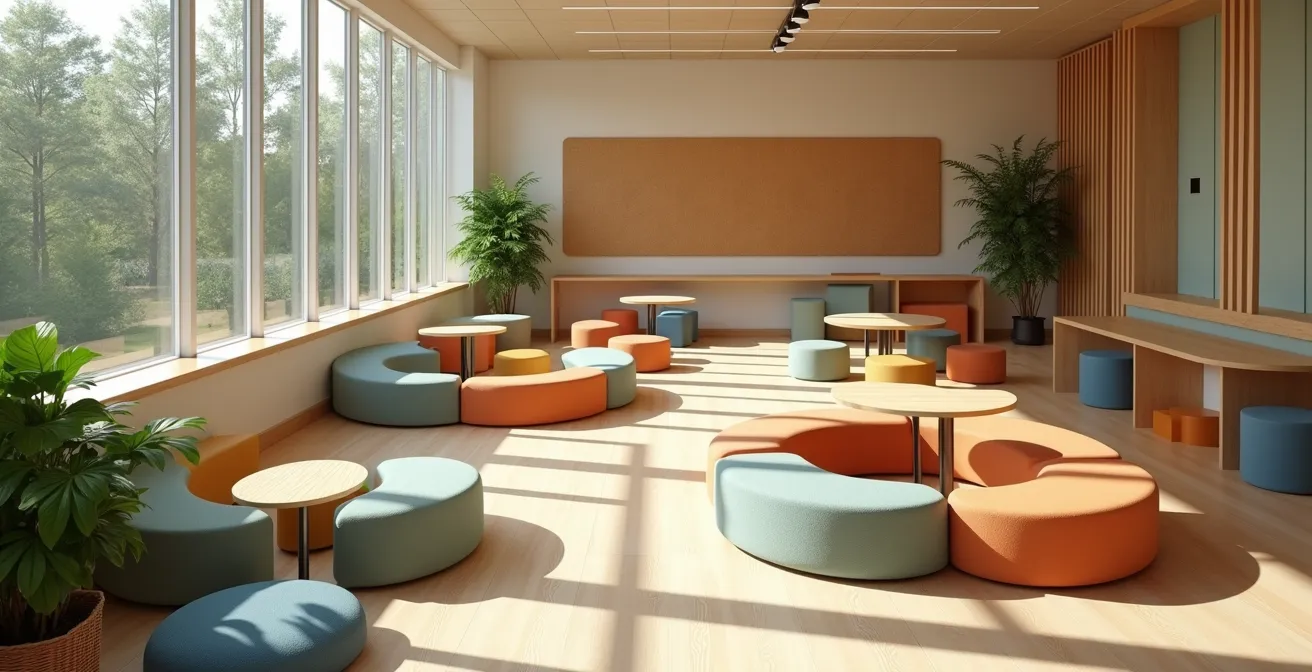
The physical classroom environment is not a passive container; it is an active system that can be engineered to dramatically improve student outcomes.
- Strategic use of color, layout, and acoustics directly manages student cognitive load and directs their energy toward learning.
- Invisible factors like air quality and background noise have a measurable impact on concentration and cognitive performance.
Recommendation: Stop decorating and start designing. Treat every element of your classroom—from seating to sound—as a tool to achieve specific educational goals.
As an educator, you constantly strive to capture and hold your students’ attention. You design engaging lessons, use innovative teaching methods, and build strong relationships. Yet, a powerful and often overlooked variable is working either for or against you every single second: the physical classroom itself. The prevailing wisdom often stops at “flexible seating” or “add a pop of color,” treating the environment as a decorative backdrop rather than a dynamic tool for learning.
This approach misses the fundamental truth. The arrangement of desks, the color of the walls, the quality of the air, and the level of background noise are not trivial details. They are powerful inputs into your students’ cognitive and emotional systems. Research from the University of Salford Manchester demonstrates that classroom design accounts for as much as 16% of learning outcomes over a year. The question is no longer *if* the environment matters, but *how* to engineer it with intention.
This guide moves beyond superficial tips. We will deconstruct the classroom into its core systems—visual, spatial, environmental, and technological. By applying principles from environmental psychology and systems thinking, you will learn to transform your learning space from a simple container into your most effective teaching assistant, an environment deliberately designed to foster focus, spark creativity, and drive participation.
This article provides a comprehensive blueprint for redesigning your learning environment. We will explore how to leverage everything from color psychology to acoustic management to build a classroom that actively supports your teaching objectives.
Summary: The Architect’s Guide to the High-Performance Classroom
- Why Painting a Classroom Blue Enhances Focus While Yellow Sparks Creativity?
- How to Design Breakout Zones That Don’t Become Chaos Areas?
- Rows vs Pods: Which Seating Arrangement Improves Test Scores?
- The Ventilation Oversight That Drops Student IQ Scores by 15 Points
- How to Use “Vertical Learning Surfaces” to Make Thinking Visible?
- Why Reactive HVAC Maintenance Costs 3x More Than Predictive AI Monitoring?
- Why Does Overhearing Conversations Drop Your Concentration by 66%?
- How to Build an EdTech Ecosystem That Unifies Data Without Overwhelming Teachers?
Why Painting a Classroom Blue Enhances Focus While Yellow Sparks Creativity?
Color is not mere decoration; it is a subconscious signal that constantly influences mood and cognitive function. The human brain is wired to react to color, a holdover from our evolutionary past where colors signaled safety, danger, or opportunity. In a learning environment, this translates into a powerful tool for managing student energy and focus. Choosing a color palette should be as strategic as planning a lesson.
The psychology is clear: different wavelengths of light trigger different neurological and hormonal responses. Cool colors, like blues and greens, have shorter wavelengths that promote calmness and concentration. They can lower heart rate and reduce anxiety, creating an ideal mental state for deep focus, individual reading, or complex problem-solving. Conversely, warm colors like yellow and orange have longer wavelengths that are more stimulating. They increase alertness and energy, making them perfect for collaborative spaces, brainstorming sessions, and creative activities where high energy and social interaction are desired.
The key is not to paint an entire room a single vibrant color, which can lead to overstimulation. Instead, think like a spatial designer creating zones through a deliberate color strategy. Use a neutral base (like light gray or off-white) to prevent sensory overload, then apply strategic accents of blue in your quiet work areas and splashes of yellow in your collaboration pods. This “color-zoning” approach guides students’ behavior subconsciously, signaling the intended purpose of each space before they even sit down.
By engineering the visual environment this way, you move from decoration to deliberate cognitive management, using color to set the stage for the type of thinking you want to encourage.
How to Design Breakout Zones That Don’t Become Chaos Areas?
The shift to flexible learning environments has championed the “breakout zone,” but many teachers rightly fear it can become a synonym for “chaos area.” The solution lies not in avoiding these zones, but in applying principles of behavioral architecture to design them with clear purpose and boundaries. As early childhood centers have shown, creating distinct “Interest Centers” with clear physical boundaries using furniture placement fosters autonomy while maintaining order. The goal is to direct student energy, not just unleash it.
A well-designed classroom features multiple types of zones, each engineered for a specific activity and level of stimulation. The key is to create perceptible, if not physical, separation. Use low bookcases, area rugs, or even different types of seating to signal a shift from one zone to another. This creates a predictable environment where students understand the behavioral expectations of each space. An aerial view of a well-structured room reveals this intentional design, with clear pathways and defined activity areas.
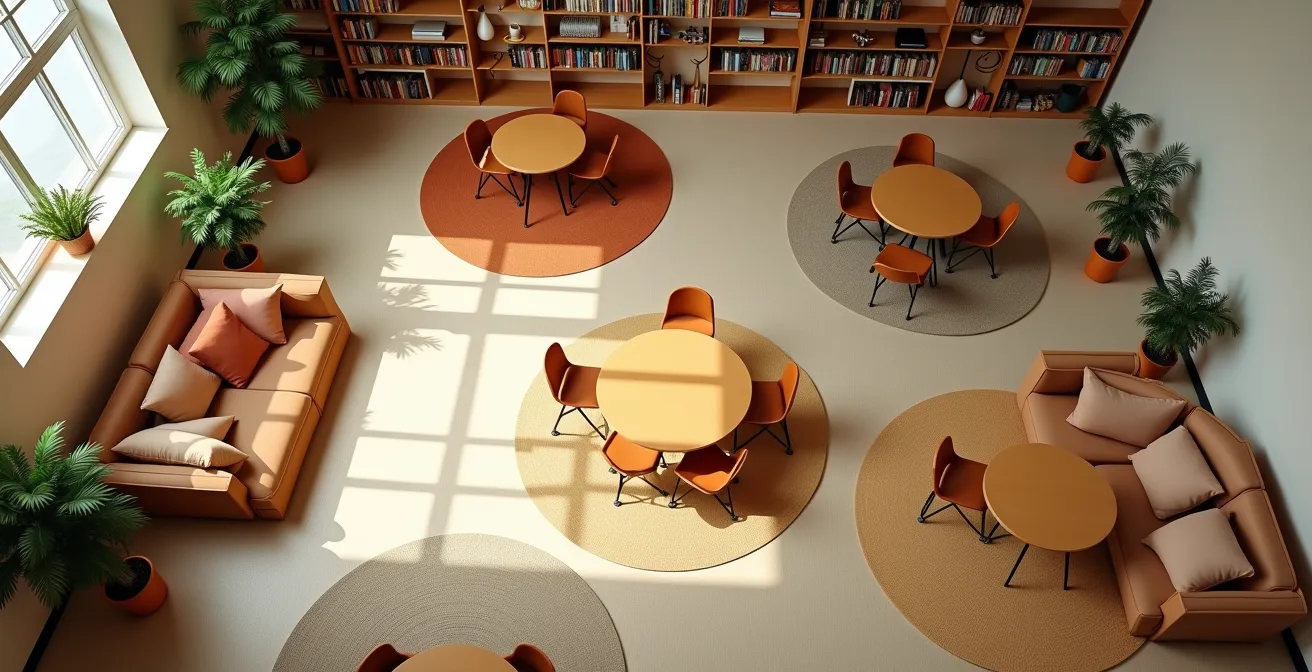
As the layout above demonstrates, furniture can act as a natural barrier, and different textures or lighting can define a space. To effectively manage these zones and prevent them from descending into chaos, it is essential to understand their specific purpose and the management strategies best suited for each.
The following table breaks down different types of breakout zones, outlining their purpose and the key strategies for keeping them productive and orderly. This framework allows you to build a multi-functional space without sacrificing control.
| Zone Type | Purpose | Management Strategy | Key Features |
|---|---|---|---|
| Nest (Low-stimuli) | Individual focus work | Single-occupant, timed use | Sound-absorbing materials, enclosed feeling |
| Hive (High-energy) | Group collaboration | Clear noise expectations | Mobile furniture, writable surfaces |
| Forum | Class discussions | Teacher-facilitated | Circular seating, central focus point |
| Tech Station | Digital work | Rotation schedule | Device charging, ergonomic setup |
Ultimately, a breakout zone is not just an empty corner with beanbags; it’s a purposefully engineered space designed to channel a specific type of student energy, and its success is determined by its design.
Rows vs Pods: Which Seating Arrangement Improves Test Scores?
The debate between traditional rows and collaborative pods often misses the point. There is no single “best” seating arrangement; there is only the best arrangement for a specific task. Thinking of layout as a form of “behavioral architecture” allows you to choose the structure that best supports the learning objective of the moment. According to research, classroom design elements including seating arrangements can account for as much as 25% of student progress, making this a critical strategic decision.
Traditional rows are a design that minimizes peer interaction and funnels attention toward a single point: the front of the room. This makes it the superior architecture for tasks requiring individual focus, such as direct instruction, standardized testing, or independent work. It reduces distractions and clarifies the flow of information. Pods, or clusters, do the opposite. They are designed to maximize peer-to-peer interaction and decentralize the focus of the room, making them ideal for group projects, discussions, and collaborative problem-solving. Forcing collaboration in a row-based layout is as inefficient as demanding silent, individual work in a pod.
The most effective classrooms are therefore not static but fluid. By using lightweight, mobile furniture, an educator can reconfigure the “behavioral architecture” of the room in minutes. You might start the day in a U-shape for a whole-class discussion, transition into pods for a group activity, and then shift to rows for an end-of-unit assessment. This adaptability ensures that the physical space is always reinforcing the pedagogical goal.
To make an informed decision, it’s crucial to understand the strengths and weaknesses of each layout in relation to different classroom activities.
| Arrangement | Best For | Student Interaction | Teacher Movement | Test Performance Impact |
|---|---|---|---|---|
| Traditional Rows | Direct instruction, testing | Minimal | Front-focused | Higher for individual assessments |
| Pods/Clusters | Group projects, discussions | High | Circular path needed | Better for collaborative tasks |
| U-Shape/Horseshoe | Class discussions, seminars | Moderate | Center access | Balanced performance |
| Flexible/Fluid | Mixed activities | Variable | Adaptable | Highest overall when properly managed |
By mastering the use of different layouts, the educator becomes an architect of interaction, shaping the very patterns of communication and focus within the classroom to match the needs of the lesson.
The Ventilation Oversight That Drops Student IQ Scores by 15 Points
While you focus on what’s on the walls, an invisible factor could be sabotaging your students’ ability to learn: the air they breathe. Classrooms are densely populated spaces where carbon dioxide (CO2) levels can quickly rise. As students and teachers exhale, CO2 accumulates, and without proper ventilation, it displaces oxygen. This has a direct, measurable, and stunning impact on cognitive function. Studies have shown that poor ventilation leading to elevated CO2 levels can cause up to a staggering 15-point IQ drop in performance on decision-making tasks.
This isn’t a minor inconvenience; it’s a cognitive impairment. High CO2 levels lead to drowsiness, difficulty concentrating, and headaches. You might mistake a classroom’s lethargy for a boring lesson when it’s actually a symptom of poor air quality. The brain, starved of sufficient oxygen, simply cannot perform at its peak. This environmental factor can single-handedly undermine the most engaging curriculum.
Fortunately, managing air quality is achievable. The first step is to make the invisible visible by using a simple CO2 monitor. This provides real-time data on the air quality in your room. Beyond technology, biophilic design offers a powerful solution. Incorporating air-purifying plants, such as snake plants or peace lilies, not only improves air quality but also reduces stress and enhances the aesthetic of the space.

Simple, consistent habits are also crucial. Scheduling “airing out” breaks, where windows are opened for a few minutes every hour, can dramatically reduce CO2 buildup. For principals and administrators, this data is critical for advocating for improved HVAC systems and ensuring the building itself is supporting, not hindering, student learning.
Action Plan: Your Air Quality Audit
- Monitor & Measure: Install and monitor CO2 sensors to get a baseline and track air quality in real-time.
- Go Green: Incorporate NASA-approved air-purifying plants like snake plants, pothos, and peace lilies. Turn it into a class project.
- Schedule Air Breaks: Implement a routine of opening windows for 3-5 minutes every 45-60 minutes to flush out stale air.
- Purify Mechanically: Use portable HEPA air purifiers in rooms with poor natural ventilation or for students with allergies.
- Advocate with Data: Document air quality readings and present the data to your school’s administration to advocate for systemic HVAC improvements.
By taking control of this environmental system, you ensure that the very air in your classroom is optimized for cognitive performance, giving every student the best possible chance to succeed.
How to Use “Vertical Learning Surfaces” to Make Thinking Visible?
In a traditional classroom, student thinking is often a private, hidden process, confined to a piece of paper on a desk. “Vertical Learning Surfaces”—large-scale writable or pinnable spaces like whiteboards, glass boards, or even entire walls coated with whiteboard paint—shatter this limitation. By taking learning off the desk and putting it on the wall, you transform individual thought processes into a shared, public, and dynamic experience.
This practice is rooted in the “Thinking Classroom” pedagogy developed by Peter Liljedahl. When students work on vertical, non-permanent surfaces, several powerful things happen. First, it fosters collaboration and knowledge mobility. Students can see what other groups are working on, sparking new ideas and facilitating natural cross-pollination of strategies. Second, it encourages risk-taking. The non-permanent nature of a whiteboard makes students less afraid to make mistakes; an idea can be easily erased and revised, reducing the psychological barrier to starting.
Finally, and most importantly, it makes thinking visible to the teacher. By walking around the room, you get an immediate, at-a-glance overview of every group’s progress, thought process, and misconceptions. This allows for real-time, targeted interventions far more effectively than circulating to look over individual shoulders. Assigning specific “ownership zones” on the wall to different teams gives them a sense of place and responsibility for their collective work.
Implementing this strategy requires more than just installing a bigger whiteboard. It involves a shift in how classroom space is perceived and used. Here are key strategies for effectively integrating vertical surfaces:
- Install whiteboard paint on one full wall to create a massive, unconstrained canvas for ideas.
- Add cork strips or magnetic paint at various heights so students of all sizes can easily pin up their work.
- Use sliding glass boards to create layers of information, allowing you to overlay diagrams, notes, or new problems on top of existing work.
- Create “ownership zones” by assigning specific wall sections to student teams for the duration of a project.
- Implement a color-coding system for markers to represent different subjects, types of thinking (e.g., questions in red, evidence in blue), or steps in a process.
- Teach students to document their work digitally with scanning apps before erasing, creating a portfolio of their collaborative problem-solving.
By turning your walls into active parts of the learning process, you create a dynamic, collaborative, and transparent environment where thinking is not just encouraged, but seen and celebrated.
Why Reactive HVAC Maintenance Costs 3x More Than Predictive AI Monitoring?
The heating, ventilation, and air conditioning (HVAC) system is the circulatory and respiratory system of a school building. When it fails, learning stops. A classroom that is too hot or too cold is a hotbed of distraction and discomfort, making concentration impossible. The traditional approach to HVAC maintenance is reactive: wait for it to break, then call for an expensive emergency repair. This “run-to-failure” model is not only disruptive but also financially inefficient. Data shows that reactive HVAC maintenance results in up to 3x higher costs compared to a predictive approach.
Emergency repairs come with premium labor rates, overtime charges, and the potential need for expedited parts shipping. Furthermore, the indirect costs are significant: lost instruction time, the logistical nightmare of relocating classes, and decreased staff and student morale. A single system failure can have a cascading effect on the entire school’s operations for days.
The alternative is a shift toward predictive maintenance, powered by modern smart technology and AI. Smart thermostats and sensors continuously monitor system performance, tracking data points like run times, temperature fluctuations, and energy consumption. This data stream feeds into algorithms that can identify subtle anomalies—the early warning signs of a pending failure—long before the system breaks down. This allows facility managers to schedule preventative maintenance during non-instructional hours, replace parts before they fail, and optimize energy usage across the building.
Case Study: The Impact of Smart Thermostat Implementation
School districts that have implemented smart thermostats with basic monitoring capabilities have reported a 40% reduction in emergency HVAC repairs and a significant decrease in classroom closures due to temperature issues. The data from these systems helps facility managers identify patterns like unusual temperature spikes or extended run times that indicate pending failures. As a direct result, teachers report fewer temperature-related complaints, and classroom comfort becomes far more consistent, creating a more stable learning environment.
By treating the HVAC system not as a passive utility but as a critical piece of operational infrastructure to be proactively managed, schools can save money, prevent disruption, and ensure the physical environment is always conducive to learning.
Why Does Overhearing Conversations Drop Your Concentration by 66%?
In a dynamic, collaborative classroom, sound is inevitable. But there’s a profound difference between productive buzz and cognitive poison. The human brain is exceptionally skilled at tuning out consistent, steady background noise (like the hum of an air conditioner or white noise). However, it is biologically wired to pay attention to language. This is known as the “irrelevant speech effect,” and research shows that overhearing intelligible but irrelevant conversations causes a staggering 66% drop in concentration on tasks requiring reading or memory.
When a student is trying to focus on a complex text and can overhear a nearby group discussing their weekend plans, their brain is forced to actively work to suppress the distracting conversation. This effort consumes a significant amount of cognitive bandwidth—the mental resources available for learning. The student isn’t just distracted; their capacity to process information is actively diminished. This is why a poorly designed open-plan classroom can be less effective than a traditional one; the constant cross-talk creates a toxic acoustic environment for focused work.
Managing the classroom soundscape is therefore a critical aspect of environmental design. The goal is not silence, but acoustic control. This involves two main strategies: sound absorption and sound separation. Soft materials like area rugs, fabric wall hangings, curtains, and upholstered furniture absorb sound waves, reducing echo and reverberation that make speech travel further. This “softens” the room and lowers the overall noise level.
Separation can be achieved by using tall bookcases or movable acoustic panels as barriers between different work zones. This doesn’t create a soundproof seal, but it disrupts the direct path of sound waves, making nearby conversations less intelligible and therefore less distracting. Implementing these physical solutions alongside behavioral ones, like “voice level protocols,” creates a classroom where both collaboration and concentration can coexist.
- Install sound-absorbing acoustic panels on walls and ceilings, especially in “hive” zones.
- Use large area rugs and fabric wall hangings to reduce echo and ambient noise.
- Position tall bookcases or rolling whiteboards as physical and acoustic barriers between work zones.
- Implement “voice level protocols” (e.g., Level 1 for whisper, Level 2 for partner talk) with visual cues.
- Use white noise machines or play calming, non-lyrical background music during independent work periods to mask distracting conversations.
By architecting the soundscape with the same care as the layout, you protect your students’ most valuable resource: their ability to concentrate.
Key Takeaways
- Classroom design is not decoration; it’s an active system that accounts for up to 25% of student progress.
- Invisible factors like air quality (CO2) and acoustics (irrelevant speech) have a direct, measurable impact on cognitive functions like focus and memory.
- The most effective learning environments are fluid, using mobile furniture and zoned design to align the physical space with the pedagogical goal of the moment.
How to Build an EdTech Ecosystem That Unifies Data Without Overwhelming Teachers?
The promise of educational technology was to make teaching more efficient and personalized. The reality, for many, is a fragmented collection of apps, platforms, and logins that create more administrative work than they save. Teachers are left drowning in disparate data streams, unable to get a holistic view of student progress. The key to solving this is to shift from collecting apps to building a true EdTech ecosystem—a unified system where tools communicate with each other and data flows seamlessly.
The foundation of a functional ecosystem is a Single Sign-On (SSO) solution. This single feature eliminates the constant friction of managing dozens of usernames and passwords for both students and teachers, saving valuable instruction time and reducing cognitive load. The next critical layer is a unified dashboard. Instead of having to log into a learning management system, a reading app, and a math program separately to check progress, a unified dashboard pulls key metrics from all platforms into one place. This allows a teacher to see, at a glance, that a student who is excelling in the math app is simultaneously falling behind on assignments in the LMS, signaling a potential issue with executive function rather than subject mastery.
One district that successfully implemented such an ecosystem reported a 45% reduction in teacher administrative time. Their system automatically flags students showing concerning patterns across multiple platforms, triggering early intervention alerts. This transforms data from a burdensome reporting requirement into a proactive, powerful tool for student support. Teachers feel more informed, not more overwhelmed.
When evaluating new technology, the primary question should not be “What does this app do?” but “How does this app integrate into our existing ecosystem?” The following framework helps prioritize features that contribute to a unified system rather than a fragmented collection of tools.
| Integration Feature | High Priority | Medium Priority | Low Priority |
|---|---|---|---|
| Single Sign-On (SSO) | Essential – reduces login fatigue | – | – |
| Unified Dashboard | Critical for data overview | – | – |
| Cross-Platform Analytics | – | Valuable for insights | – |
| Physical Space Integration | – | Important for hybrid learning | – |
| Automated Reports | – | – | Nice to have |
By prioritizing integration and data unification, you can finally deliver on the original promise of EdTech: empowering teachers with actionable insights and giving them back their most valuable resource—time to teach.